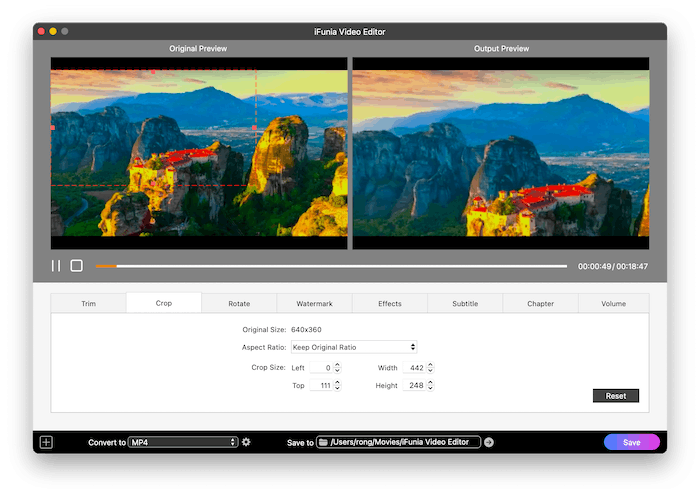
iFunia Video Editor is a beginner-friendly video editing application designed for macOS users who want to create professional-looking videos without a steep learning curve. Whether you’re editing family videos, YouTube content, presentations, or social media clips, the software provides a clean interface and essential editing tools to complete your projects quickly.
With support for popular video formats, built-in effects, transitions, text overlays, audio editing, and exporting to high-quality video, iFunia Video Editor is an excellent choice for users who need a lightweight yet capable video editor for Mac.
Features
- Simple and intuitive drag-and-drop interface
- Trim, split, crop, rotate, and merge video clips
- Add animated text, titles, and captions
- Apply video filters and visual effects
- Hundreds of transition effects
- Background music and voice-over support
- Audio editing with volume adjustment and fade effects
- Picture-in-Picture (PiP) video editing
- Add logos and image watermarks
- Speed up or slow down video playback
- Color correction and brightness adjustment
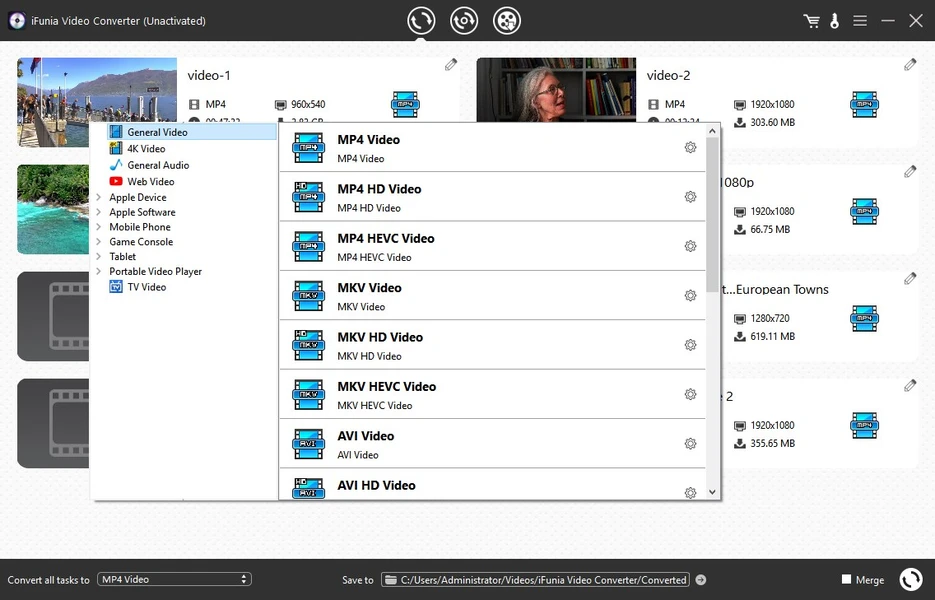
- Export videos in multiple formats
- Share videos to YouTube and other platforms
- Supports HD and Full HD video editing
- Compatible with most popular video and audio formats
What’s New
The latest version of iFunia Video Editor includes several improvements:
- Improved editing performance on modern Macs
- Better compatibility with the latest macOS versions
- Enhanced video export speed
- Improved transition rendering quality
- Bug fixes for improved stability
- Updated codec support
- Better handling of large video files
- Optimized user interface for smoother workflow
Best Alternatives
If iFunia Video Editor doesn’t meet your editing needs, consider these alternatives:
- Final Cut Pro
- Adobe Premiere Pro
- DaVinci Resolve
- Filmora
- iMovie
- CapCut for Mac
- Movavi Video Editor
- Wondershare UniConverter
- Shotcut
- OpenShot Video Editor
Pros and Cons
Pros
- Easy for beginners
- Clean and user-friendly interface
- Fast video exporting
- Multiple transitions and filters
- Supports many file formats
- Lightweight software
- Good performance on most Macs
- Affordable compared to professional editors
Cons
- Limited advanced editing features
- No professional color grading tools
- Fewer effects than premium editors
- Not suitable for complex commercial projects
System Requirements
Operating System
- macOS 10.12 or later
Processor
- Intel or Apple Silicon processor
Memory
- 4 GB RAM minimum
- 8 GB RAM recommended
Storage
- At least 300 MB of free disk space
Display
- 1280 × 800 resolution or higher
How to Install
- Download the latest version of iFunia Video Editor from the official website.
- Open the downloaded DMG file.
- Drag the application into the Applications folder.
- Launch the app from Applications.
- If prompted, allow the app in Privacy & Security settings.
- Activate the software if you have a license, or start using the trial version.
- Begin importing videos and editing your projects.
Download PDFify for macOS

FAQs
1. Is iFunia Video Editor free?
It offers a free trial, while the full version requires a paid license.
2. Does iFunia Video Editor support 4K videos?
Yes, it supports editing and exporting high-resolution videos, including 4K, depending on your Mac’s hardware.
3. Is iFunia Video Editor suitable for beginners?
Yes. Its simple interface makes it ideal for beginners and casual video creators.
4. Can I add music and subtitles?
Yes. You can add background music, voice-overs, subtitles, text, and visual effects to your videos.